
Early access
Where to-dos finally get done.
The groceries and the product launch in one place, organized by project. You only have one brain — your task list shouldn't pretend otherwise.
No credit card. No 14-day clock. Free forever tier.
Works alongside the rest of Kamili One
One account, one sign-in. Tasks comes with Mail and Calendar in every plan — including Free.
What Tasks does
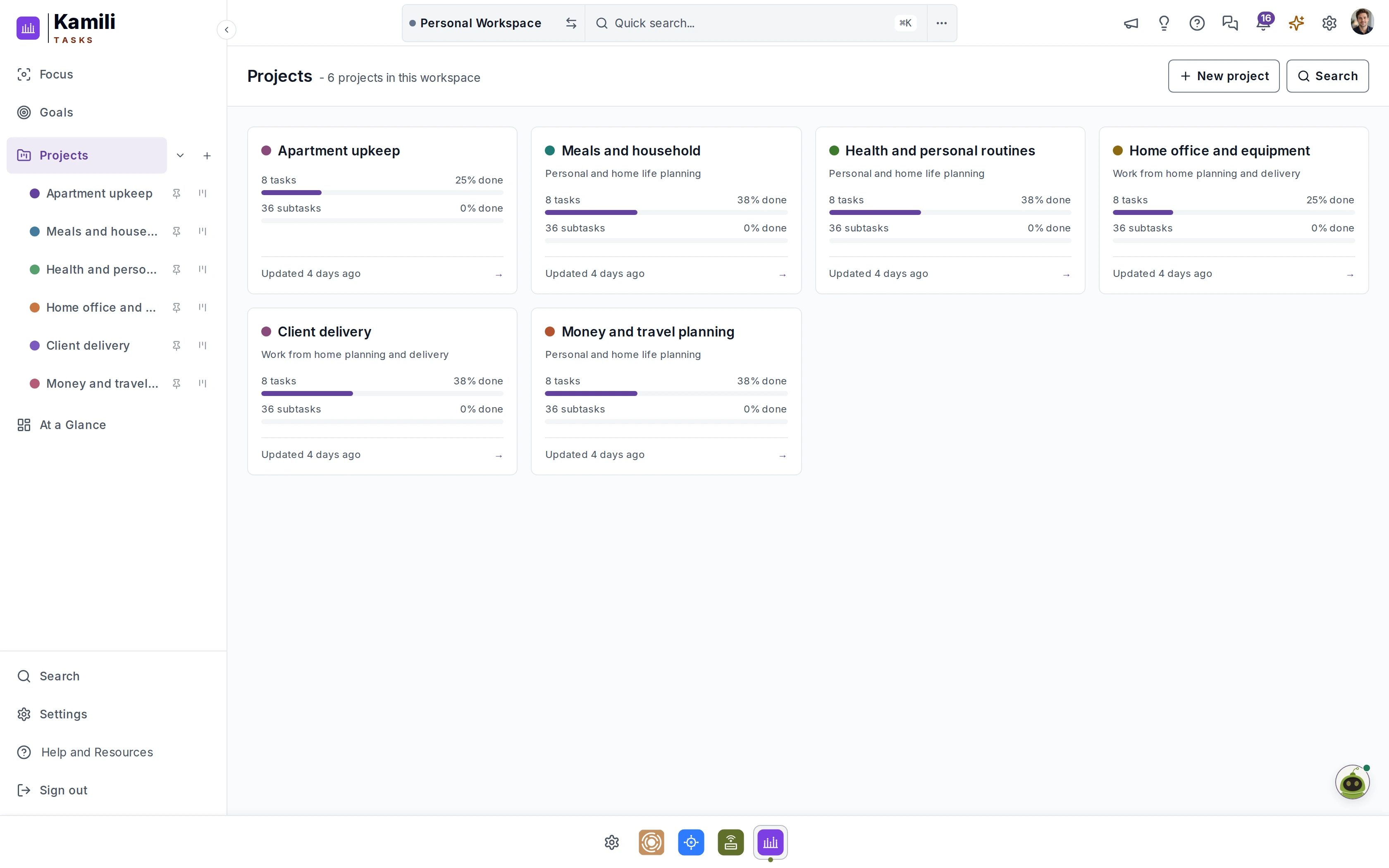
One list for all of it.
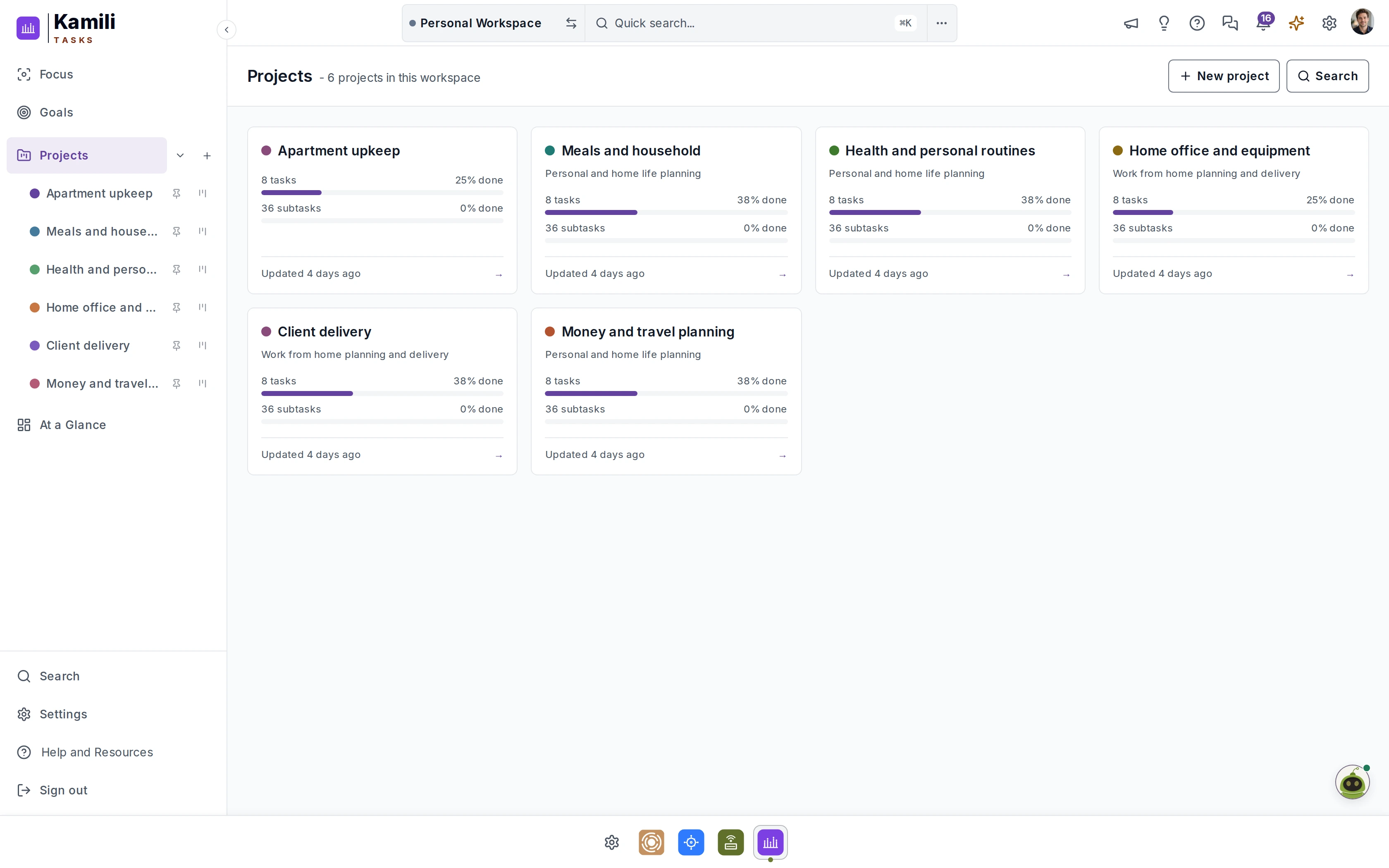
The groceries and the product launch in one place, organized by project. Each project shows its tasks and subtasks and how much of each is done.
Some features are still undergoing development and testing and are subject to change.
Voice notifications
Hear what needs your attention.
Kamili One speaks your task check-ins, focus timers, and due-today reminders aloud so you can keep moving without staring at a screen.
Tasks Due Today
“Tasks due today: Inspect windows before winter rain is due in Apartment upkeep, and Plan weekday lunches is in progress.”
Focus Session Complete
“Focus session complete: Twenty-five minutes finished on Repair loose kitchen cabinet hinge. Ready to mark it done or take a five-minute break?”
Morning Task Check-In
“Morning task check-in: You have three overdue items in Apartment upkeep and one high-priority goal milestone due this Friday.”
Part of Kamili One
Email, Tasks, and Calendar in one app.
Start with Tasks. Mail and Calendar are in every plan — including Free — so they're waiting when you're ready.

Tasks
Where to-dos finally get done.
The groceries and the product launch in one place, organized by project.

Email that feels like yours.
A calm client for all your accounts, with a unified inbox and smart search.
Explore Kamili Mail
Calendar
Your day, planned — and bookable.
Work and personal calendars side by side, plus scheduling links. Syncs with Google and Apple.
Explore Kamili CalendarOne thread, start to finish
- 1In Mail
Heads Up tells you Evan emailed and needs a response.
- 2Mail to Calendar
View Analysis reads the thread and suggests the event for your Calendar.
- 3In Mail
You reply in Mail — without leaving the thread.
- 4On the Dashboard
The Dashboard already shows what's next.
Pricing
One price. The complete suite.
Kamili Tasks isn't sold on its own. Every plan — including Free — is the whole of Kamili One: Mail + Calendar + Tasks. Beta users get 35% off for as long as their subscription stays active.
Forever
Free
$0 /mo
No card required
- 1 connected mailbox
- 5 GB storage
- 100 Kamili AI credits / month
- Pay-as-you-go AI top-ups
For one busy human
Solo
$6.50 $10 /mo
or $65/yr billed yearly
- 3 connected mailboxes
- 10 GB storage
- 250 Kamili AI credits / month
- Pay-as-you-go AI top-ups
Recommended · Power user
Plus
$9.75 $15 /mo
or $97.50/yr billed yearly
- 5 connected mailboxes
- 50 GB storage
- 600 Kamili AI credits / month
- Pay-as-you-go AI top-ups
Heavy workflows
Pro
$19.50 $30 /mo
or $195/yr billed yearly
- 10 connected mailboxes
- 100 GB storage
- 1,500 Kamili AI credits / month
- Pay-as-you-go AI top-ups
For 5 users
Team
$32.50 $50 /mo
or $325/yr billed yearly
- Shared team mailbox & team calendar
- 5 collaborator seats + 5 free viewers
- 25 connected mailboxes
- 150 GB storage
- 4,000 Kamili AI credits / month
- Base plan free for non-profits
Prices in USD, billed monthly. Founder discount applies to all paid tiers during beta and stays yours for as long as your subscription stays active.
Answered
Questions about Kamili Tasks.
Can personal and work tasks live together?
Yes. The groceries and the product launch sit in one place, organized by project.
Can I use just Tasks?
Yes. Focus on Tasks alone — but Mail and Calendar are included in every plan, so they're there when you're ready.
Is the free tier really free?
Really free. No 14-day timer, no credit card to start. All three core apps are included. You pay only when you outgrow the limits.
What does "founder pricing" mean?
Join a paid tier during beta and you pay 35% less than regular pricing — and you keep that rate for as long as your subscription stays active.
Can I cancel?
Anytime. No strings attached.
One list today. One digital space when you're ready.
Join the beta, lock in founder pricing, and get every to-do in one place on day one.
No credit card. No 14-day clock. Free forever tier.